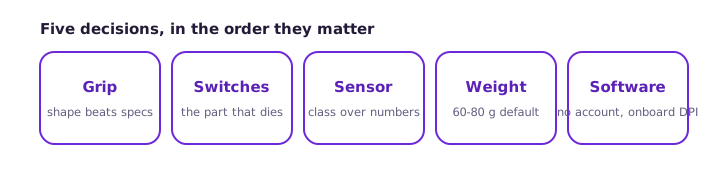
Most mouse reviews read like spec sheets. This is the opposite: the five decisions that determine whether the next mouse lasts and fits, in the order they matter. Work top to bottom; stop when every box is ticked.
1 - Grip first, always
Size and shape outrank every electronic part. Palm grip wants a taller, longer body; claw grip wants a rear hump with a flat mid-section; fingertip grip wants small and light. Buying a shape that fights your grip is the most expensive mistake in this list because no spec compensates for it. If a store visit is possible, hold the mouse for thirty seconds before reading anything about sensors.
2 - Switch quality (the part that dies)
The buttons are the consumable. Mechanical switches carry a press rating - 20 million for basic, 50-100 million for gaming grades (Omron, Kailh, Huano tiers). Optical switches replace the metal contact with a light beam and cannot develop the classic double-click bounce; if you have replaced a mouse for double-clicking before, optical is the honest upgrade. Check whether the model is known for the failure mode - community forums catalog which batches bounce.
3 - Sensor class over sensor numbers
Any modern sensor from the major families (PixArt 33xx and successors) tracks perfectly for human use. The honest criteria: no count-skipping during fast flicks (verify with the DPI checker in the return window), no surface incompatibility with your desk, and stable LOD (lift-off distance) if you reposition the mouse constantly. The 16,000 DPI on the box is headroom, not a feature you will use.
4 - Weight and cable
Weight splits the market: 60-80 g is the modern default for games, sub-60 is the ultralight tier, and heavier shapes only make sense for precise trackball-style palm users. Cables: braided or paracord-style flexible cables drag less; a stiff rubber cable on a light mouse feels like a bungee. Wireless has effectively solved latency on gaming lines - a good 2.4 GHz dongle is indistinguishable from wired in blind tests, but check battery life honestly (20+ hours per charge for daily use).
5 - The boring boxes: software and warranty
Two minutes of due diligence: does the vendor software run without an account (some now demand login - a real cost), does the mouse store DPI profiles onboard (works on any PC without the software), and is the warranty two years plus with a brand that honors double-click claims? Then test everything on day one - every button on the mouse tester, rollover on the keyboard tester if you buy a combo - inside the return window, not month six.
Frequently asked questions
What weight should a gaming mouse be?
60-80 grams is the modern default that suits most players. Ultralight (under 60) rewards low-sensitivity arm aimers; heavier shapes suit precise palm-grip desktop work.
Are wireless mice still slower than wired?
No - current-generation 2.4 GHz dongles poll at 1000 Hz with end-to-end latency matching wired in blind tests. Bluetooth is the slower radio and remains the budget compromise.
Which brands honor double-click warranty claims?
The major gaming brands generally recognize switch bounce as a defect within warranty - documenting it with a flagged double click test result strengthens the claim.
Is a higher price a better mouse?
Past roughly the mid tier you pay for weight savings, wireless and coatings - not accuracy. A mid-price mouse with a good sensor and optical switches outlasts most flagships.
Related: the failure that kills mice · test the new mouse on day one · how to set the new mouse up · when the new one feels slow.